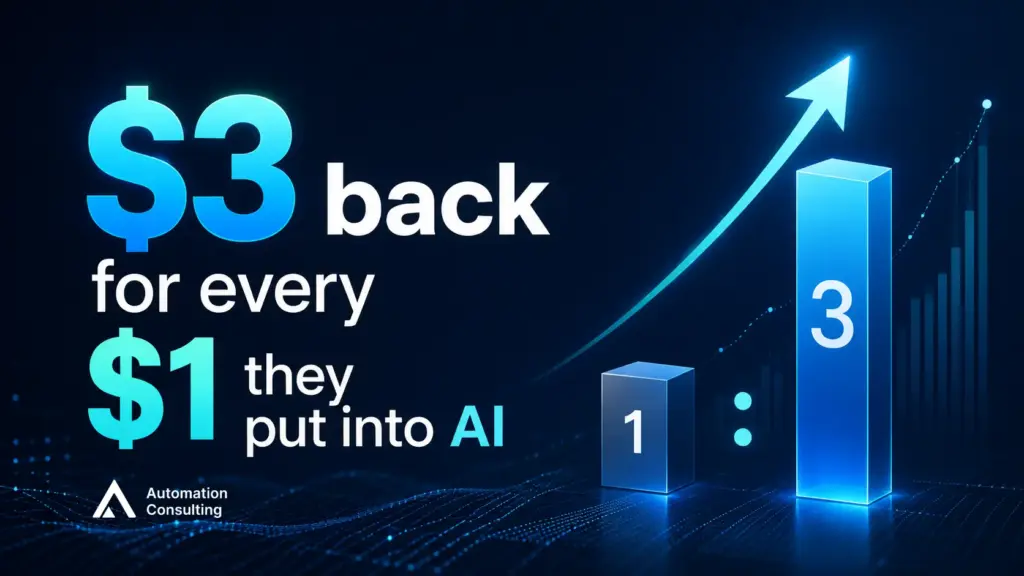
Leading companies are already seeing close to $3 back for every $1 they put into AI, according to data from McKinsey. The strongest returns aren’t coming from broad “let’s use AI everywhere” experiments. They’re coming from focused workflow automation aimed at one process at a time. Morgan Stanley‘s own tracking found the number of S&P 500 companies reporting measurable AI impact nearly doubled in a single year.
This post covers three things: what AI workflow automation actually is, what it’s already done for businesses across different industries, and what it actually costs.
What is AI workflow automation, really?
Simply explain:
| Traditional automation (including most of what you’d call RPA) | AI workflow automation |
| follows a fixed rule. If a form field says “urgent,” route it to the urgent queue. It’s fast, it’s reliable, and it breaks the moment the input looks even slightly different from what the rule expected. | reads the input, not just the label, and decides. It can look at an unstructured email, a scanned invoice, or a customer message with no fixed format, understand what’s actually being asked, and take the appropriate next step, without someone having pre-written a rule for that exact case. |
Ask where the process currently needs a person to read something and decide, rather than just tick a box. That’s the exact seam where AI-driven process automation earns its cost over a simple rule.
And no, it’s not the same as “someone on the team uses ChatGPT.” That’s real value, but it’s one person, one task, no memory between sessions, and nothing connected to your other systems. AI workflow automation is the same underlying capability wired into an actual process – triggered automatically, connected to your tools, running whether or not someone remembers to open a chat window. That gap is exactly what AI automation services are built to close.
Where AI actually fits: a framework for process automation
The single most common mistake isn’t picking the wrong AI tool. It’s picking AI for a task that never needed it, or under-building a task that genuinely does. Match the task to the category first:
| If the task is… | You need… | What that looks like |
|---|---|---|
| The same steps, every time, no judgment calls | Basic automation (no AI needed) | Zapier, Make, or your existing platform’s built-in automation rules |
| Reading and judging unstructured input (emails, tickets, documents, call notes) | An AI agent | Automated lead scoring, ticket triage, document data extraction |
| Producing new content or messaging, not reacting to input | A generative AI workflow | Drafting first-pass reports, personalising outreach at scale, summarising long documents |
| Predicting what’s likely to happen next, based on historical patterns | A predictive model | Demand forecasting, churn prediction, budget forecasting |
| Spanning multiple systems and approval steps | A custom AI workflow build | Bespoke integration connecting your CRM, inbox, and finance tools with an agent making the calls in between |
| Real-time, high-stakes decisioning at volume | An advanced custom system | Purpose-built model for fraud detection, dynamic pricing, or similar |
Most real workflows are hybrids, not one pure type. Invoice processing, for instance, is usually rule-based matching plus AI judgment on the exceptions that don’t match cleanly. It’s normal for one process to need two or three of the above working together.
Use cases: where AI workflow automation already pays off
A straight look at what this looks like in practice across business functions, so you can see where your own bottleneck might fit:
| Business Function | What this looks like in practice | What the data shows |
|---|---|---|
| Customer service | From Automation Consulting’s own work: an AI consultant built for a major Australian flooring retailer answers product questions and recommends products with images and clickable links right in the chat, turning website visitors into booked quotes | 10.86% conversion to quote; significant increase in leads |
| Finance & invoicing | Invoices are read, matched against purchase orders, and flagged automatically when something doesn’t line up | Processing time cut from 17.9 days to 3.4 days; 40–80% lower cost per invoice |
| Demand & inventory forecasting | Historical sales, seasonality, and market signals feed a model that predicts what stock levels will actually be needed | Cuts overstock costs by roughly 18% for mid-sized distributors |
| HR & recruitment | Resume screening, interview scheduling, and candidate FAQs are handled automatically, with a human still making the final call on who gets hired | Up to 50% faster time-to-hire and 75% of candidate communications automated; Nestlé has publicly reported saving roughly 8,000 admin hours a month this way |
| IT & internal support | Routine Level 1 tickets – password resets, access requests, standard troubleshooting – are triaged and resolved by an AI agent before they ever reach a person | Median resolution time of 4.4 hours with AI automation versus 71 hours without, measured across 50,000+ real tickets from 30+ organisations |
| Manufacturing & operations | Digital tooling, process redesign, and workforce retraining rolled out together across a plant’s operations | 15–25% operational EBITDA improvement |
| Real-time fraud detection | Transactions are scored for risk in real time as they happen, instead of a fixed rule flagging anything over a dollar threshold | 42% of card issuers and 26% of acquirers saved more than $5 million in fraud attempts over two years |
These are seven functions where the pattern is well-documented, not the limit of where it applies. The same logic extends to any process where someone is currently reading, judging, or deciding by hand: procurement approvals, compliance checks, contract review, logistics scheduling. If you’re not sure whether your own bottleneck fits, that’s exactly the kind of thing we scope in a 20-hour free build – real work on your actual process, not a generic demo.
Where this leaves Australian businesses
The National AI Centre‘s most rigorous ongoing tracker puts SME AI adoption at 44% as of February 2026, other surveys range as low as 29% and as high as 84%, depending on how loosely “using AI” gets defined. Adoption and capability aren’t the same thing. Most of that 44% is someone using a chatbot occasionally, not a working system.
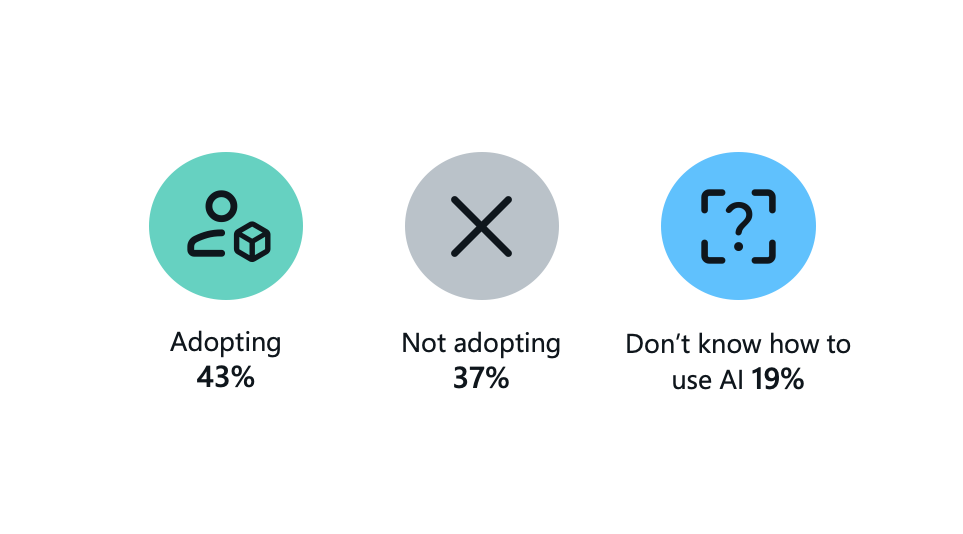
The more telling number sits inside that 44%: broad adoption, where AI is embedded across multiple parts of a business rather than one isolated task, just hit its highest level in seven months. Businesses that commit tend to expand their use rather than pull back. The real gap isn’t people trying AI and giving up. It’s the majority who haven’t started at all.
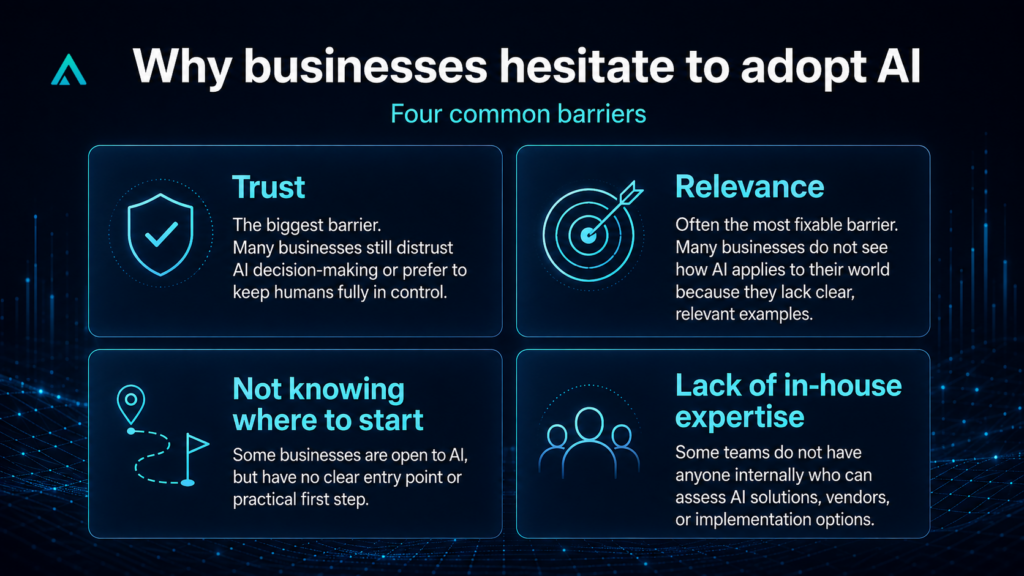
What’s actually stopping most Australian businesses from adopting AI workflow automation?
- Trust, by far the biggest one: Around 65% of non-adopting businesses cite distrust in AI decision-making or a preference to keep humans fully in control. This shows up the same way across business sizes and industries – it’s not a small-business-specific hesitation.
- Relevance – and this is the most fixable one: 54% of non-adopters say AI simply isn’t relevant to their business. The gap is stark by industry: fewer than 30% adoption in construction and agriculture, versus more than half of businesses already using AI in health, education, and services. That’s not a capability gap. It’s a lack of visible examples of what this looks like for a business like theirs – which is exactly the gap the use-case table above is meant to close.
- Not knowing where to start: 19% of SMEs say they don’t know how to apply AI to their business at all, up from the previous quarter. This group isn’t resistant, just without a clear entry point – which is a different problem to solve than trust or relevance, and usually the easiest one.
- Lack of in-house expertise: Some businesses just don’t have anyone on staff who knows how to evaluate a solution or a vendor.
Deloitte’s research on Australian AI adopters found something worth sitting with: SMEs that implement AI report productivity gains of 25–35%, notably higher than the 15–20% large enterprises report. In a smaller business, automating even one workflow lands harder – with fewer people wearing more hats, every hour saved is felt directly rather than absorbed into a large org chart.
Put together: the barrier isn’t that automation doesn’t work for smaller Australian businesses. It’s that most don’t have anyone in-house who knows where to start.
The number that makes moving now worth it: MYOB’s data shows AI-adopting SMEs are growing 2.8 times faster than the ones that aren’t. That gap is already showing up in revenue, not just survey answers.
If you want a clear-eyed read on where your own business sits, start with 20 hours free — real consulting work, no cost, before you commit to anything.
Common questions
If a human still has to read something and use judgment before deciding what happens next (an email, a document, a ticket with no fixed format) and you want that judgment step automated too, that’s AI workflow automation. If it’s the same fixed steps every time with no judgment involved, you don’t need AI for it.
Most existing tools (including RPA) follow rules you set in advance. AI workflow automation can handle the cases you didn’t think to write a rule for, because it’s interpreting the actual content, not matching it against a fixed pattern.
Use the decision framework above. If the task involves reading and judging unstructured input, it’s a genuine fit. If it’s the same steps every time, a simpler (and cheaper) automation tool will do the job just as well.
See more Automation Consulting insights in your search results
Tell Google you’d like more of our thinking, and the next piece turns up where you’re already looking.