This guide explains how to build an AI agent for your business without writing code — covering how to select the right first task, and how to build the six components that turn a chatbot into an agent that runs independently.
Why most businesses are still using AI wrong
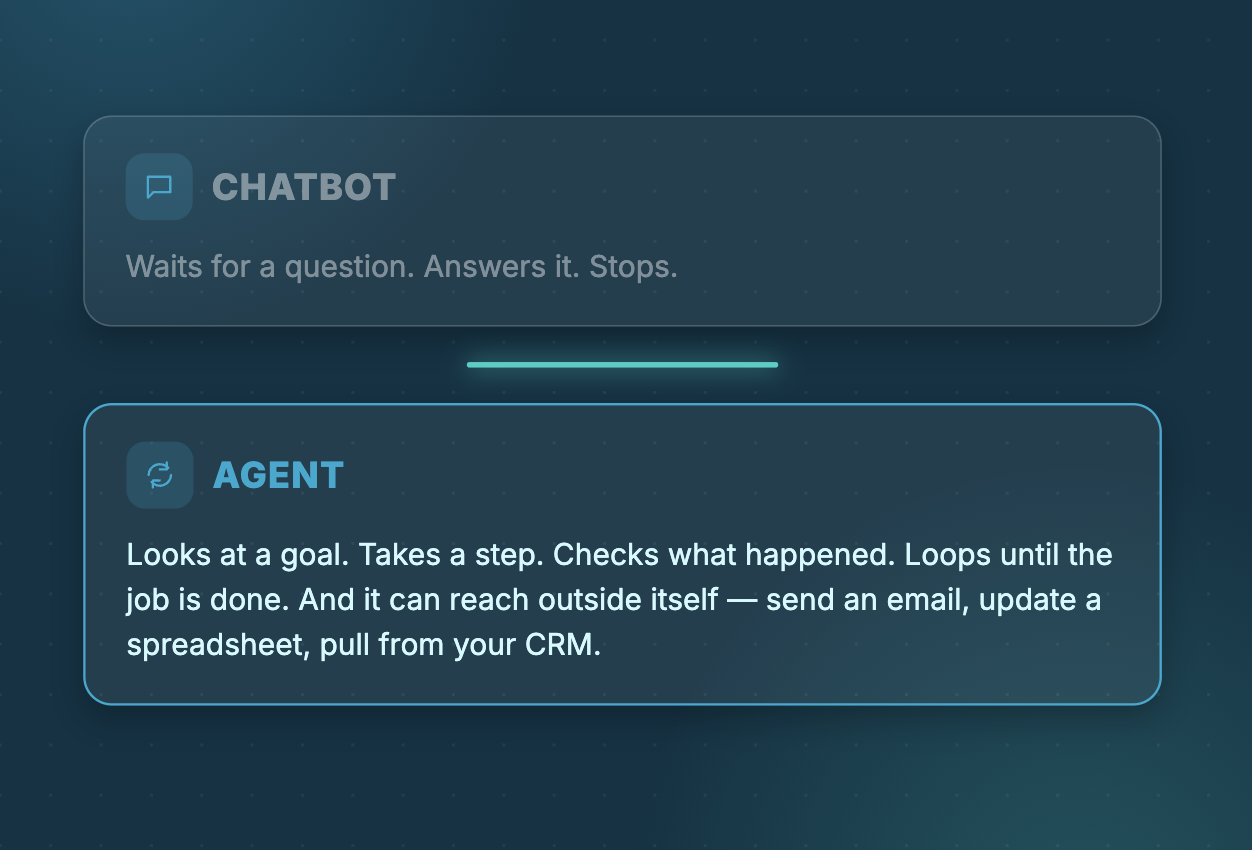
Most businesses using AI today are using it as a chatbot. You type a question, it gives an answer, you copy that answer somewhere useful and move on. Every step requires a person in the middle.
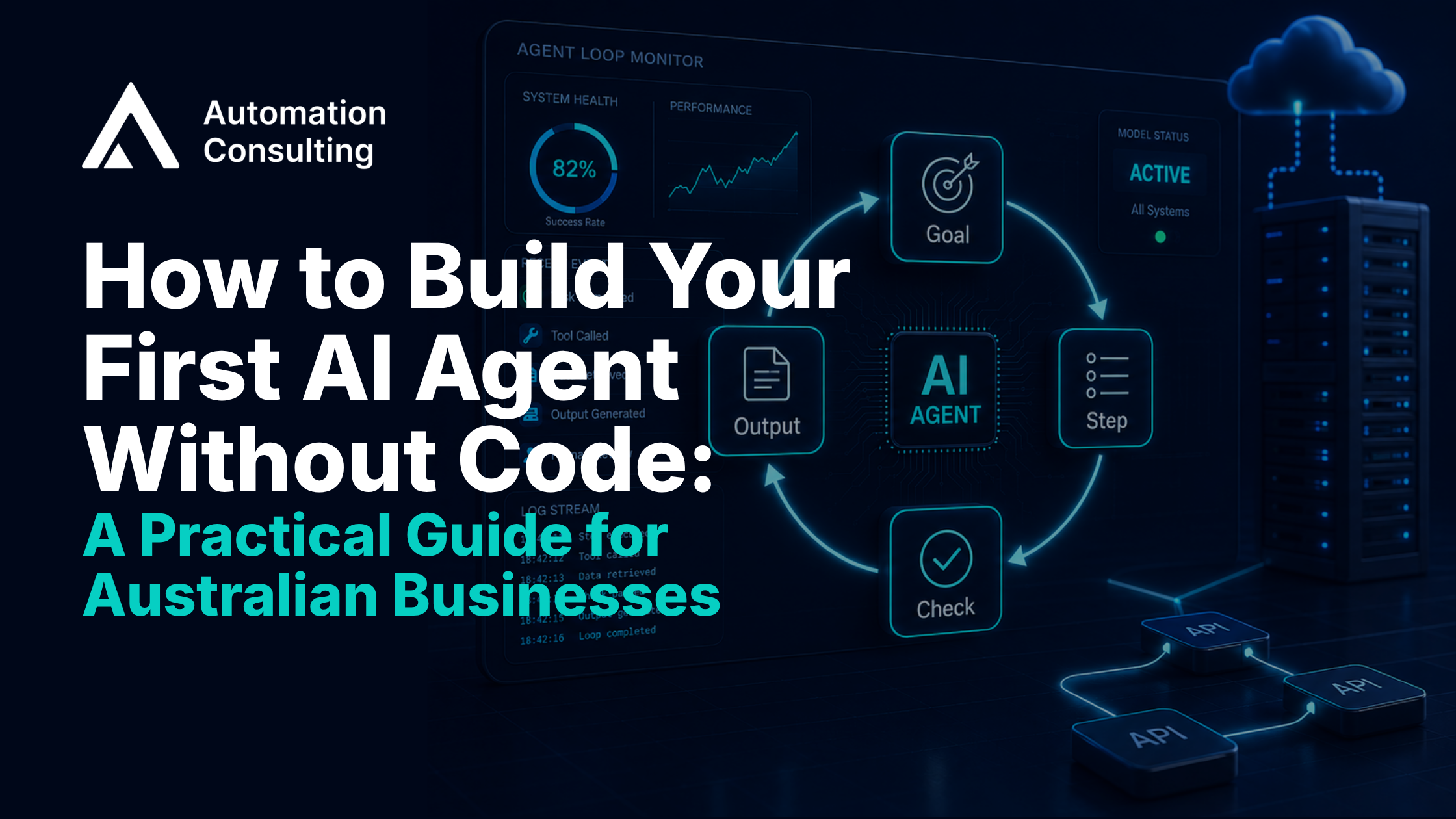
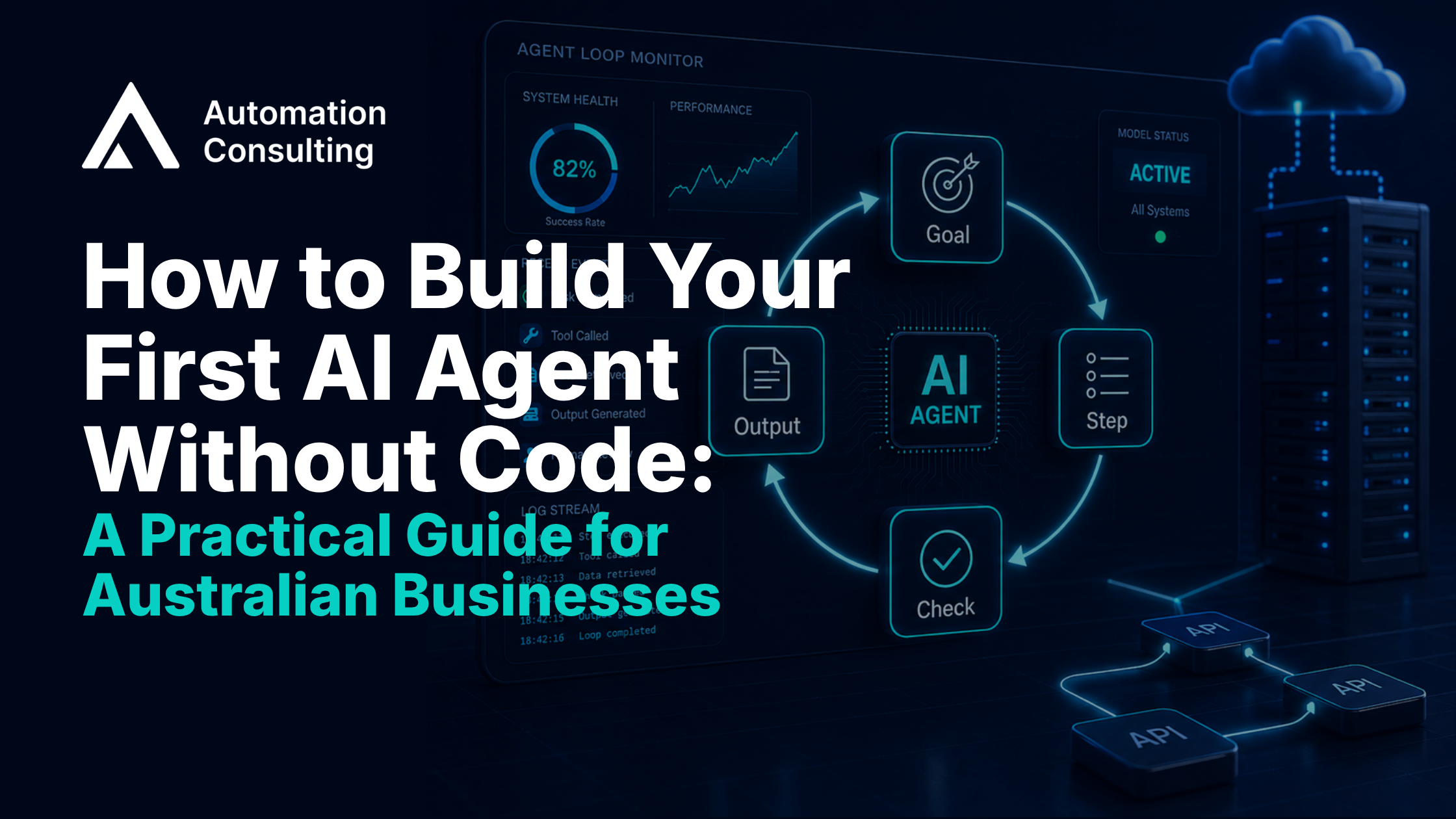
An agent works differently. It is a loop — looking at a goal, taking a step, checking what happened, then continuing until the job is done. From there, it can reach outside itself — send an email, update a spreadsheet, pull data from your CRM — without you issuing each instruction.
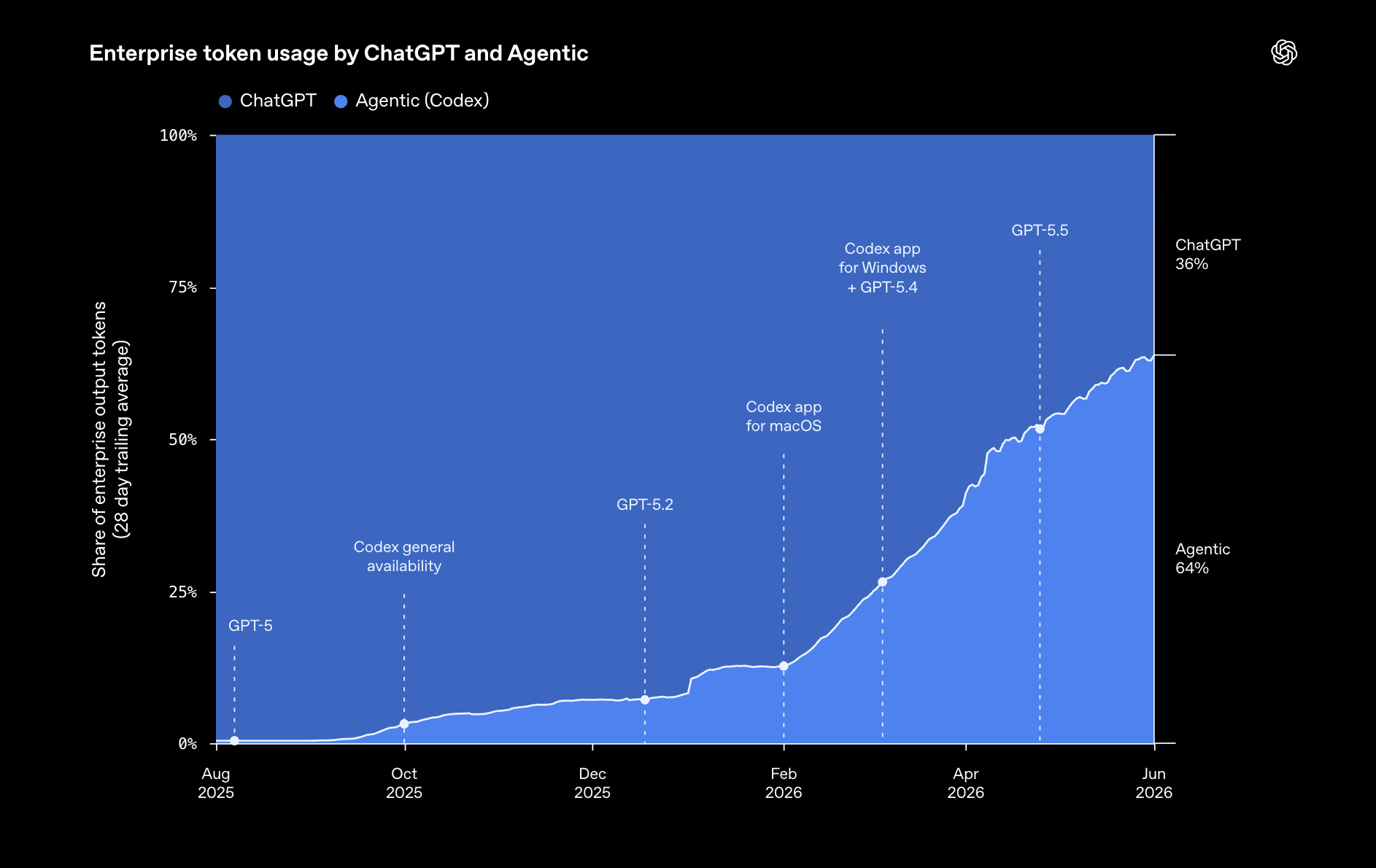
As of June 2026, OpenAI’s coding agents account for 64% of all tokens consumed by its enterprise customers. That is not a chatbot metric. It means the majority of enterprise AI use has already shifted from asking questions to delegating work.
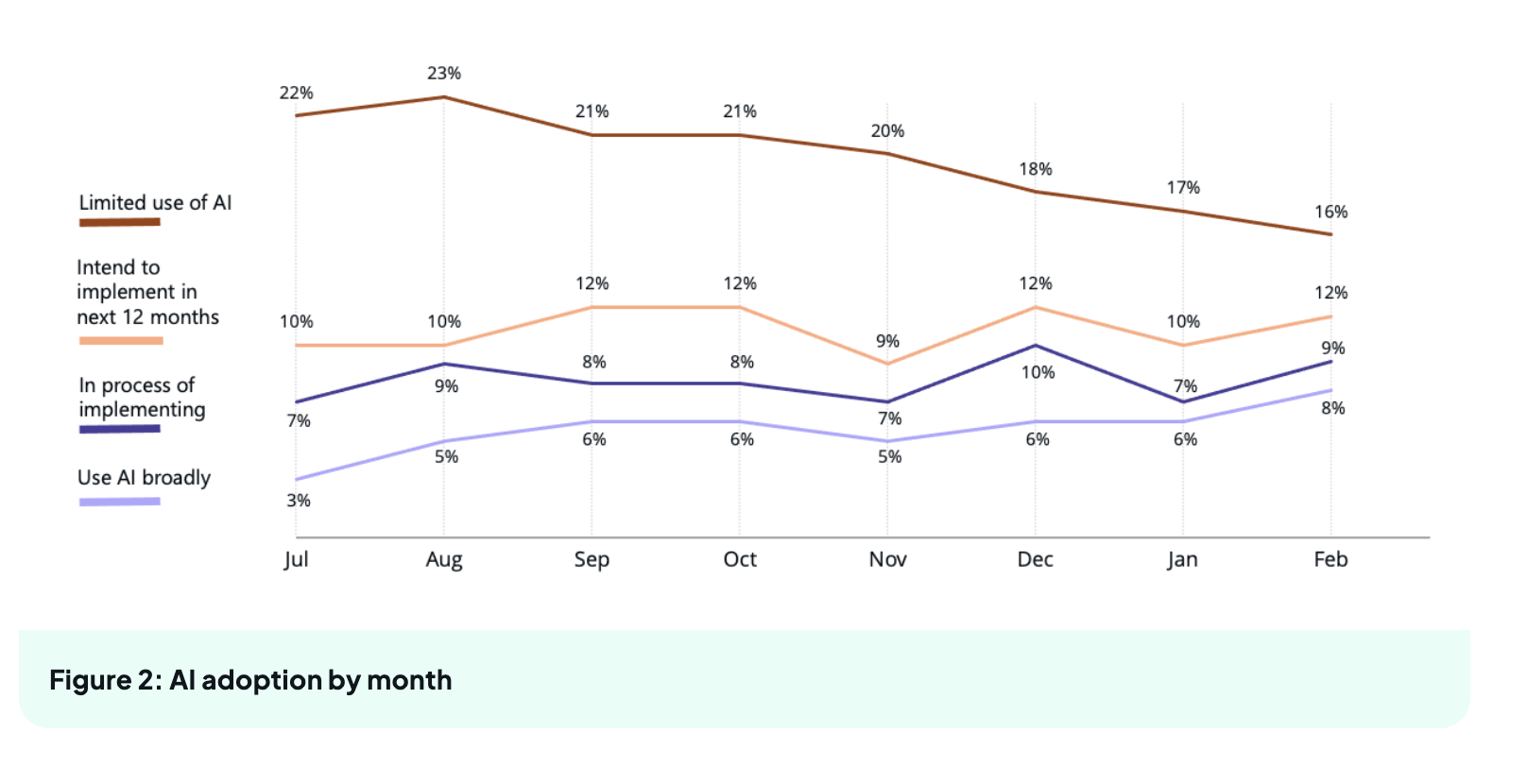
Most Australian businesses are still on the asking side. As of February 2026, only 8% of Australian SMBs report using AI broadly, with 16% describing their use as limited. (Source: NAIC AI Adoption Insights, ai.gov.au, February 2026)
| Feature | Chatbot | AI Agent |
|---|---|---|
Step one: pick the right first task
The task you start with determines whether your first agent succeeds or stalls. Not every repetitive task is the right starting point.
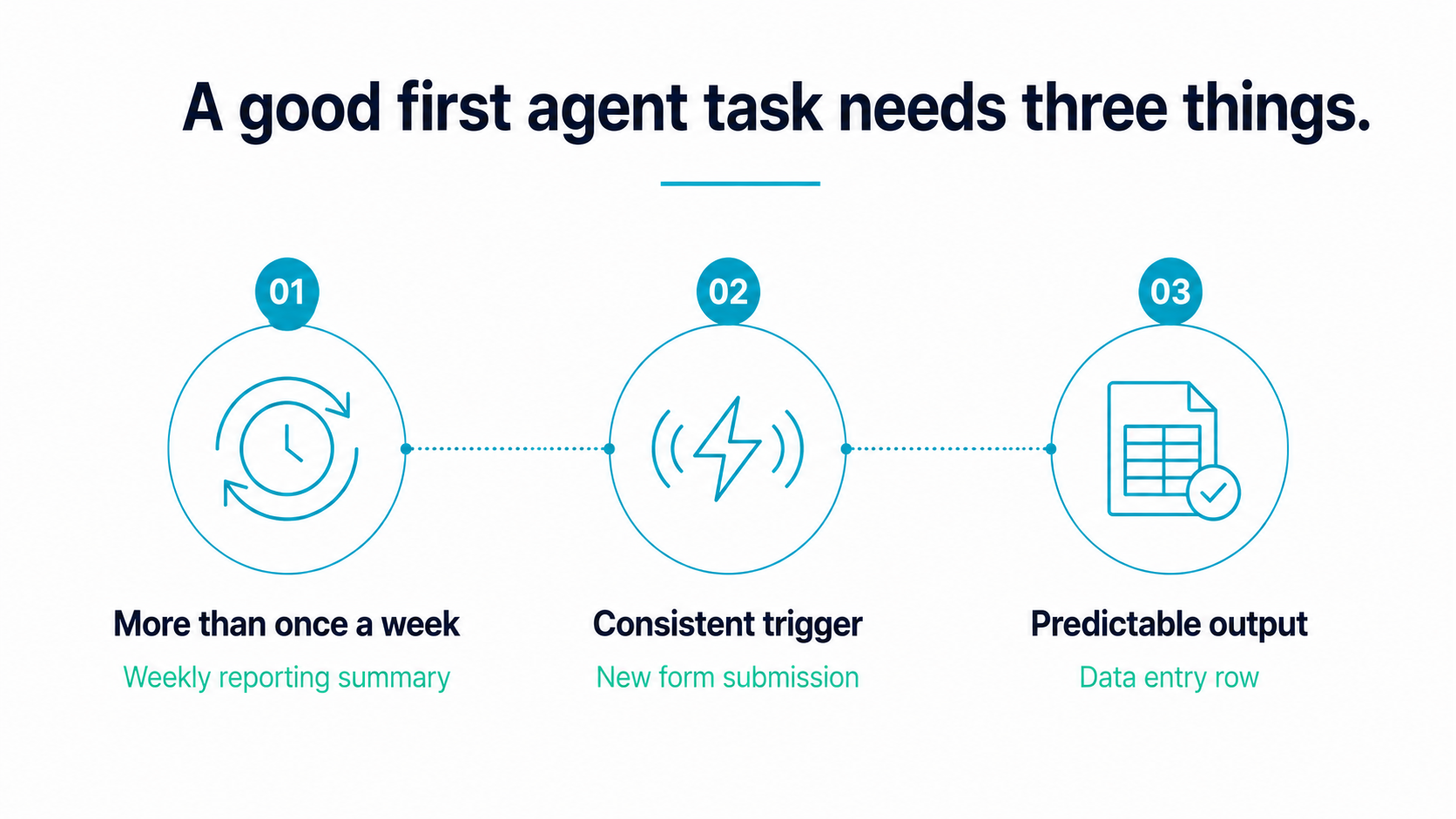
Three criteria for a good first agent task
A task qualifies if it meets all three of the following.
It happens more than once a week. Low-frequency tasks are harder to train because you see fewer examples of what correct output looks like before you automate.
It has a consistent trigger. A trigger is the event that starts the task — an email arriving, a form being submitted, a scheduled time being reached. If the task starts differently every time, the agent cannot run reliably.
It produces a predictable output. A report, a notification, a data entry row, a drafted reply. If the output changes shape depending on circumstances, the agent cannot be evaluated consistently.
Monthly invoice routing qualifies. Lead qualification from inbound enquiry forms qualifies. Weekly operations summaries qualify. “Help me think through this” does not.
The businesses we work with most commonly start with one of three workflows: inbound lead triage, internal reporting, or document processing.
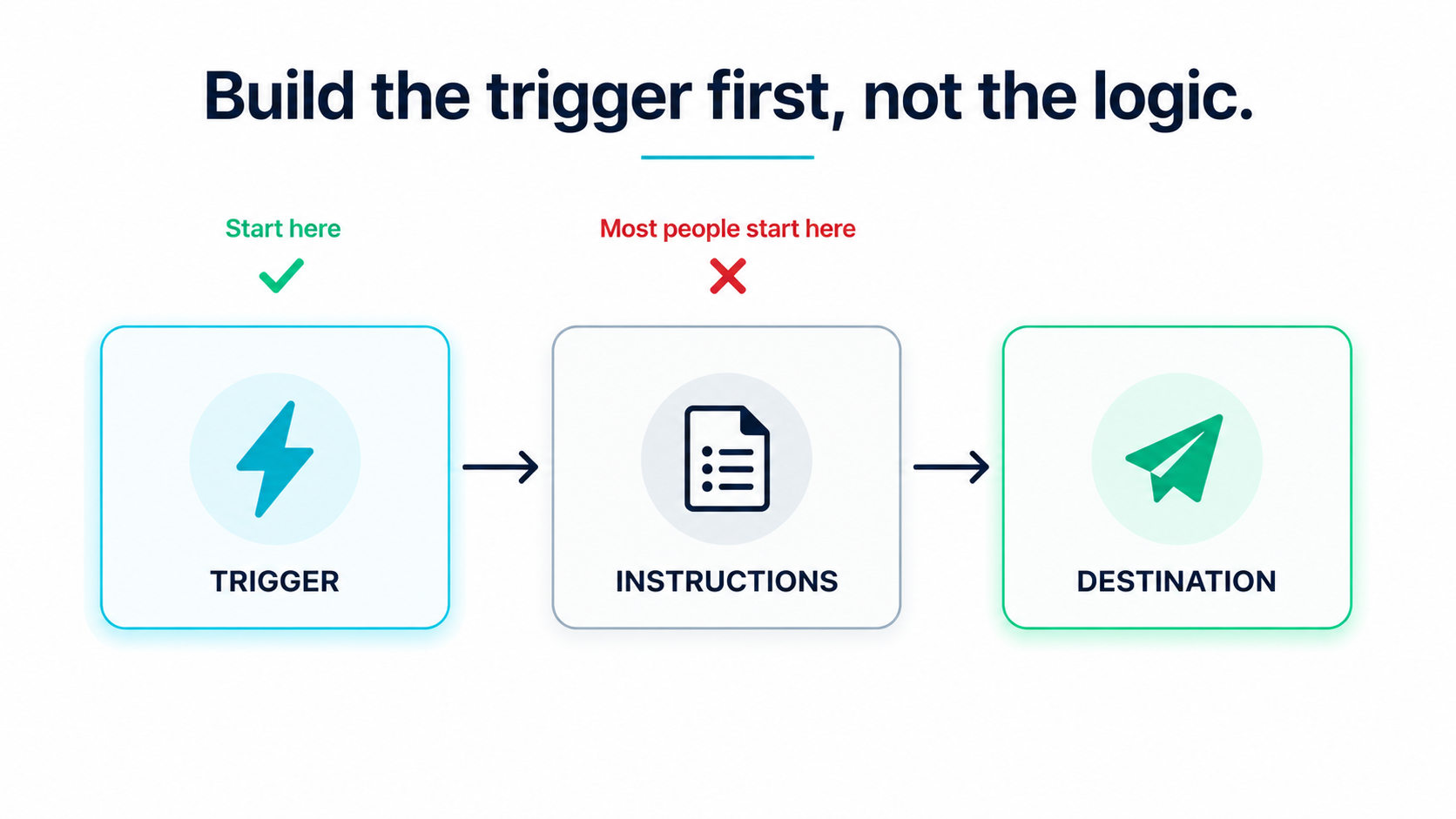
Build the trigger first, not the logic
Most first agents fail because the builder starts by writing instructions for what the AI should do, before locking where the task starts and where the result lands.
Define the trigger and the destination first. What event starts the task? Where does the finished output go? Once those two things are fixed, write the instructions in between. This single rule prevents the most common first-build failure.
Test before you automate
Before setting the agent to run automatically, test it on five real historical examples. Use cases that have already happened, with known correct outputs.
Four of five correct: the agent is ready to run. Three of five correct: the prompt needs work, not a different tool. Fewer than three: the task definition is too broad — narrow it first.
This test takes less than an hour and prevents an agent from running on live work before it is reliable.
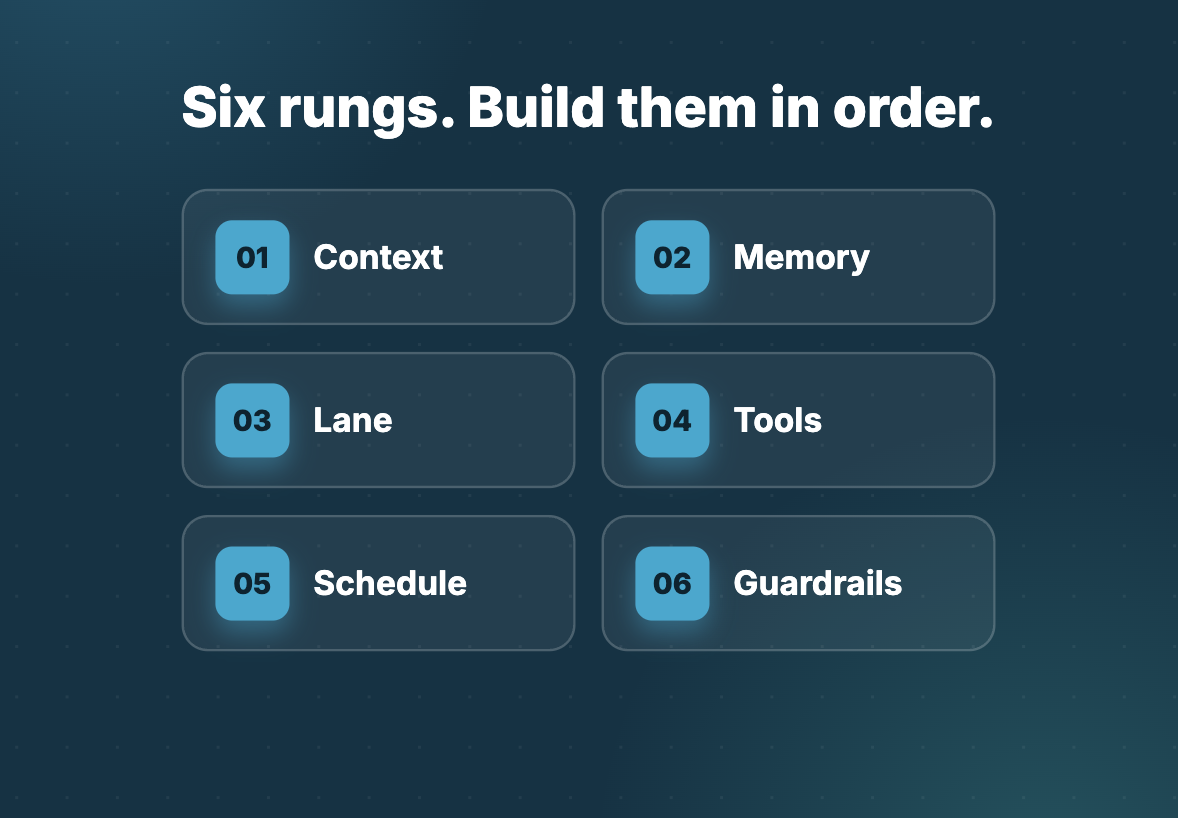
How to build the agent: six rungs
Once you have the right task, build the agent in six stages. Each stage depends on the one before it. Skipping ahead is the most common reason first builds underperform.
Rung 1: Context
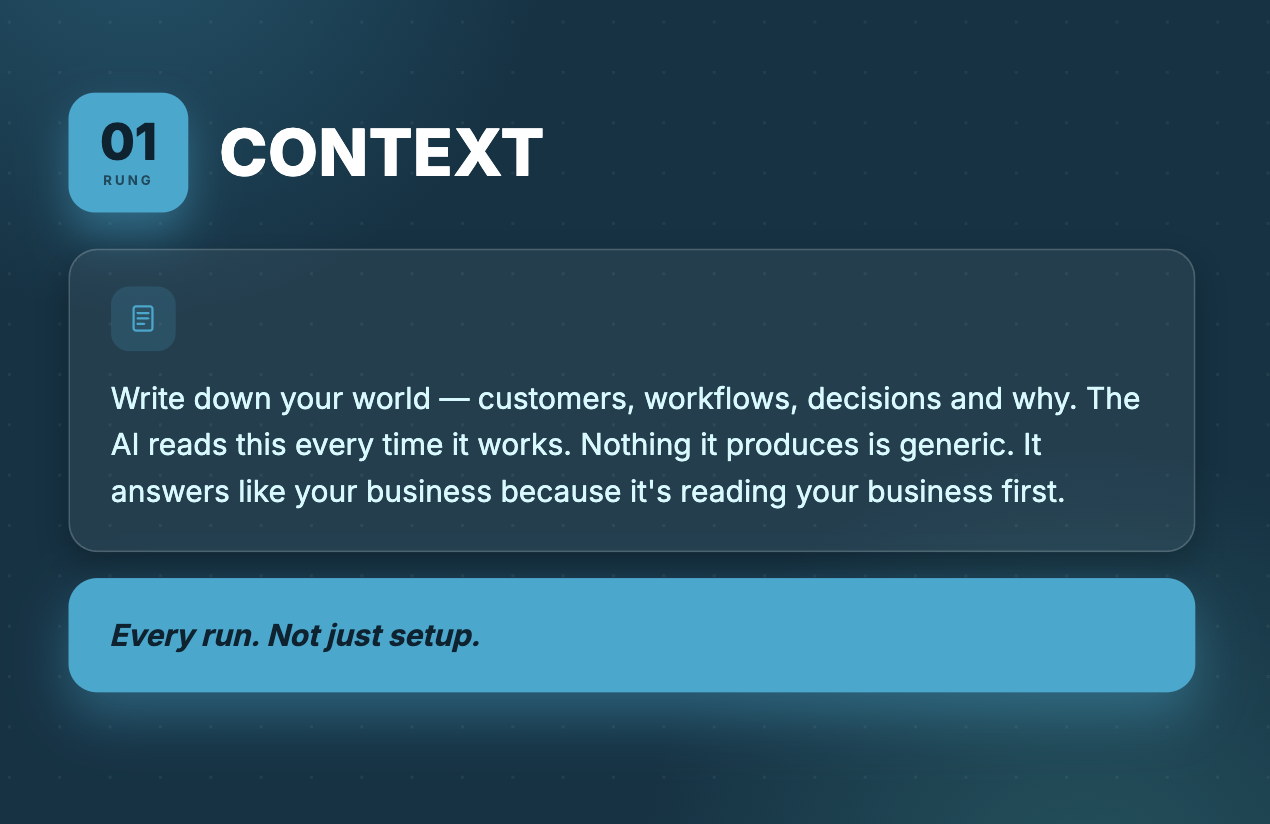
Before the agent can do anything useful, it needs to know your world. Not in general terms. Specifically: who your customers are, how your operation works, what you have decided and why.
Write this down in plain text. The agent reads it every time it runs. Nothing it produces is generic because it is reading your actual business before it moves.
Context compounds over time. Every time the agent works, it can write observations back to those files. You are training it on your operation, and that training belongs to you. Anyone can access the same AI model. No one can replicate the context you have built.
This is the stage most businesses skip. It is the one that determines output quality more than any other.
Rung 2: Memory
Context is what you give the agent. Memory is what it keeps from doing the actual work.
There are three kinds. The agent remembers facts about your business and customers. It remembers rules — every correction you make is saved and never broken again. And it remembers procedures — a step-by-step method for completing a specific task, owned permanently once taught.
Together, context and memory are what separate a generic AI tool from one that works the way your business works.
Rung 3: A lane, not a task
A task is a one-off instruction. “Draft this email.” Done, gone.
A lane is ongoing ownership. “You handle the inbox. Read what comes in, sort it by priority, draft replies, and flag anything that needs a human decision. Every day, without me asking.”
The moment an agent owns a lane, you stop assigning work. The work runs itself. That is the difference between a tool you operate and a worker who operates.
Rung 4: Tools
An agent with no connection to your actual systems can only describe work, not do it. Connect it to where the work lives — your email, your calendar, your CRM, your files.
For a first build, MCP (Model Context Protocol) is the simplest approach. No code required. Most common business tools can be connected in under a minute.
Once connected, the agent stops drafting emails for you to send. It sends them directly. Rather than summarising your calendar, it reads it and acts on what it finds.
Rung 5: A schedule
An agent with context, memory, a lane, and tools is still waiting for you to trigger it. A schedule removes that dependency.
Set it to run every morning, every hour, or overnight. It wakes up on its own, completes its lane, and contacts you only when a decision requires a human. You go from operating the agent to receiving its output.
This is the stage at which the work genuinely runs without you.
Rung 6: Guardrails
An agent that runs automatically, touches your real accounts, and operates while you are not watching needs boundaries set before it is let loose.
Define three things: what it is allowed to touch, what it must never touch, and which decisions require your approval before action is taken.
Low-stakes tasks it handles without checking. High-stakes decisions — a refund above a set threshold, an email to a key client, a change to a financial record — it drafts and holds for your sign-off.
You stop being the operator. You become the approver.
What this looks like in a real Australian business
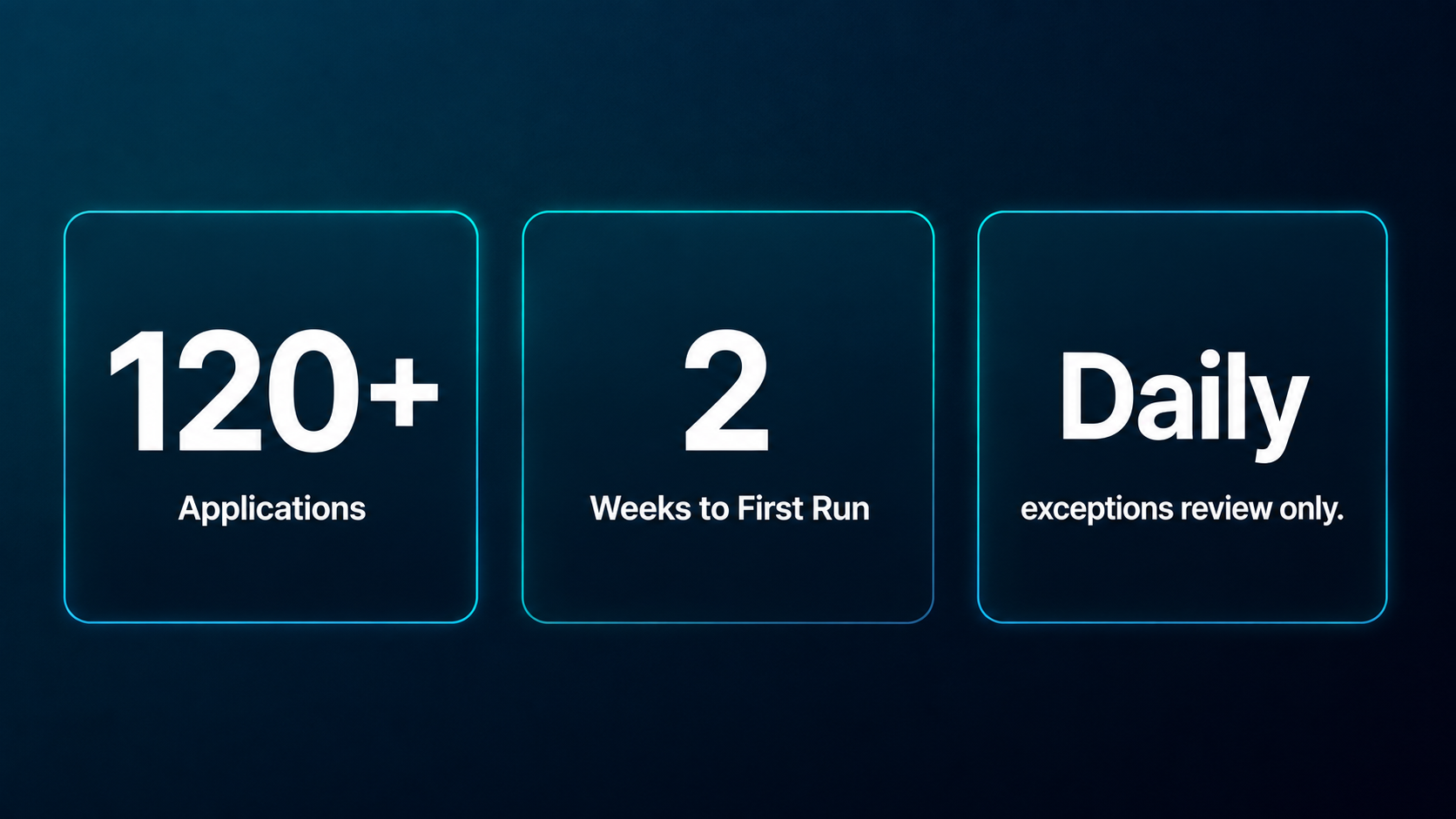
A Sydney-based mortgage broking firm was managing roughly 120 active loan applications at any given time. Their admin team was spending the majority of each day on routine client communication — chasing missing documents, sending status updates at each stage of the application, and manually updating their compliance log after every client interaction.
An agent was built to own that lane. It monitored the application pipeline, identified which stage each file was at, sent the appropriate status update to the client, flagged missing documents to the relevant broker, and updated the compliance log automatically. The agent was scoped and running within two weeks. Routine client communication, which had previously consumed the majority of two staff members’ days, was reduced to a morning review of flagged exceptions.
The same business applied the same six-rung build to a second workflow the following month.
How long does it take to build a first AI agent
A first agent built with the six-rung approach typically takes one to two weeks from task selection to reliable automated output.
The first few days involve corrections as the agent learns the business context. By the end of the second week most agents are running consistently. By the end of the first month the correction rate drops significantly and the agent begins to handle edge cases it was not explicitly trained on.
A common pattern: rough on day three, reliable by day fourteen, genuinely yours by day thirty.
Building your second and third agent
Once the first agent is running, the second build is faster. Context files already exist. Tool connections are already in place, and the guardrail framework carries over too.
Each subsequent agent inherits the shared knowledge about your business and is pointed at a new lane. A team of agents running in parallel — each owning a different workflow — is how businesses move from managing tasks to managing outcomes.
The businesses seeing the strongest results from AI are not using more sophisticated tools. They are running more tasks through structured, repeatable agent workflows.
Frequently asked questions
- What is an AI agent in simple terms?
- An AI agent is software that completes a sequence of tasks automatically, from a starting trigger through to a finished output, without a person managing each step. Unlike a chatbot, which responds to one question at a time, an agent runs a full workflow and connects to external tools to take real action.
- Do you need to know how to code to build an AI agent?
- No. The approach outlined in this guide uses plain text instructions and standard tool integrations. The technical setup for most first agent builds takes less than an hour and does not require writing code.
- What is the best first task for an AI agent?
- Start with a task that happens more than once a week, has a consistent trigger, and produces a predictable output. Invoice routing, lead qualification from inbound enquiry forms, and weekly reporting summaries are reliable starting points for Australian SMBs.
- How long does it take to build a first AI agent?
- A first agent built with the six-rung method typically takes one to two weeks from task selection to reliable automated output. The first few days involve corrections as the agent learns the business context. By the end of the second week most agents are running consistently.
- What are guardrails in an AI agent?
- Guardrails are rules that define what the agent can act on independently and what it must hold for human approval. They cover which systems the agent can access, what actions it cannot take without sign-off, and which decisions require a person to review before anything is sent or changed.
- How is an AI agent different from a chatbot?
- A chatbot responds to a single question and waits for the next one. An agent runs a sequence of steps from a trigger to a finished output, connects to external tools, and can run on a schedule without a person issuing each instruction.
- Can a small Australian business build an AI agent without a developer?
- Yes. The six-rung framework in this guide is designed for operators, not developers. Automation Consulting works with Australian SMBs across retail, fintech, professional services, and property management to build first agents without any internal technical team.
Start building today
Not sure which task to start with? Automation Consulting works with Australian businesses to identify, scope, and build first agent workflows. Our 20 Hours Free programme covers the full build at no cost for qualifying businesses — scoping included.
See more Automation Consulting insights in your search results
Tell Google you’d like more of our thinking, and the next piece turns up where you’re already looking.